You may use XML Importer + Transformation to import your data + convert them to be an Activity diagram.
(But we just find a bug when prepare the following sample, and the bug is just fixed, the patch may be available in few days.)
How to do it:
— Preparation —
-
Prepares an XML to import your data to be VP’s
GenericModelandGenericConnector. -
Creates a
DataTableto define your model type, properties.
And define the transformation schema of your model types. -
Creates a dummy
Activity Diagramto define the transformation schema of activity diagram. -
Connects your 2 transformation schema.
— Operation —
- Imports XML to create your meta-model into VP.
- Performs transformation from your
DataTableto anActivityDiagram
How to do it (with image description):
— Preparation —
-
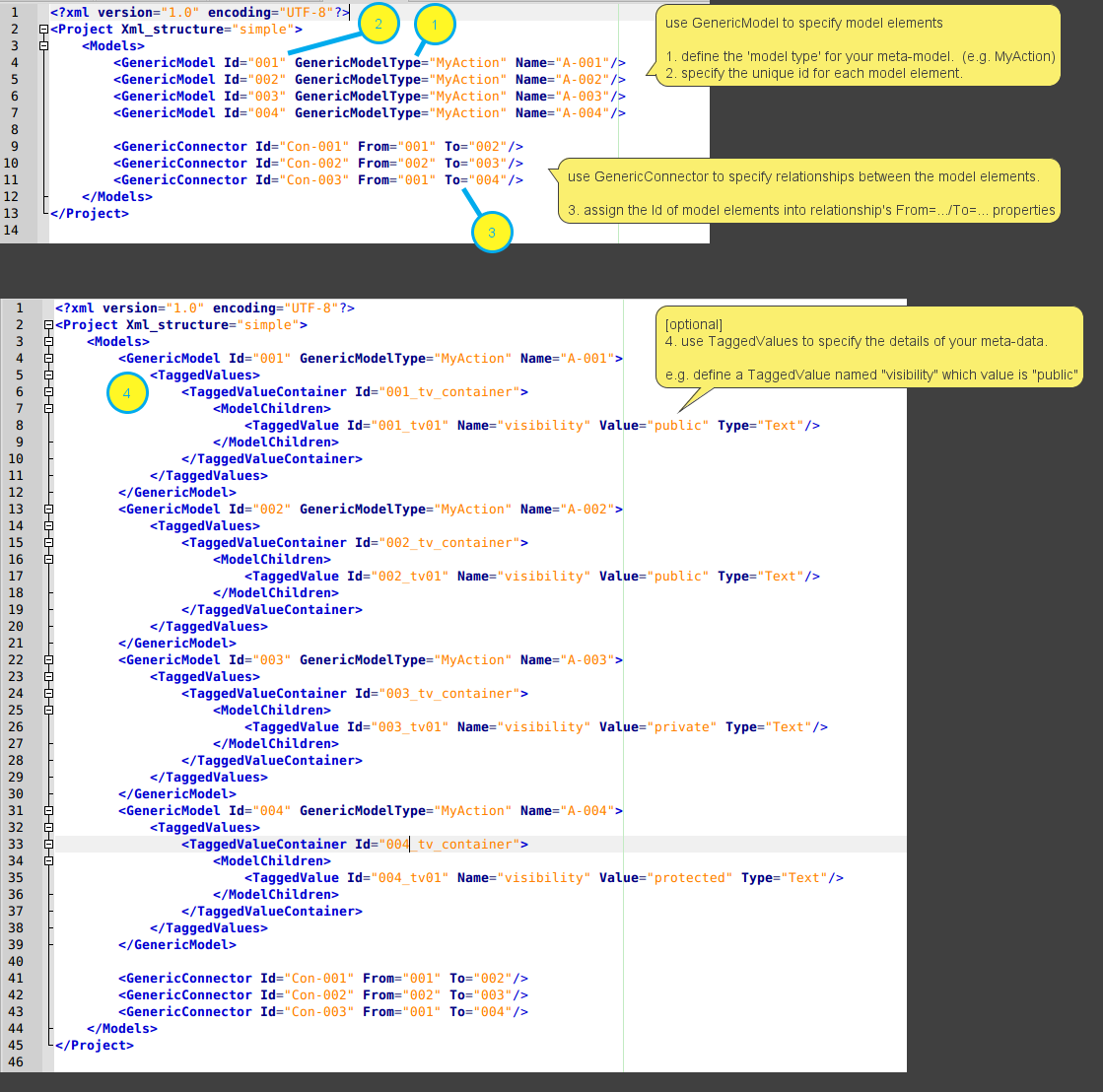
Prepares an XML to import your data to be VP’s
GenericModelandGenericConnector.
-
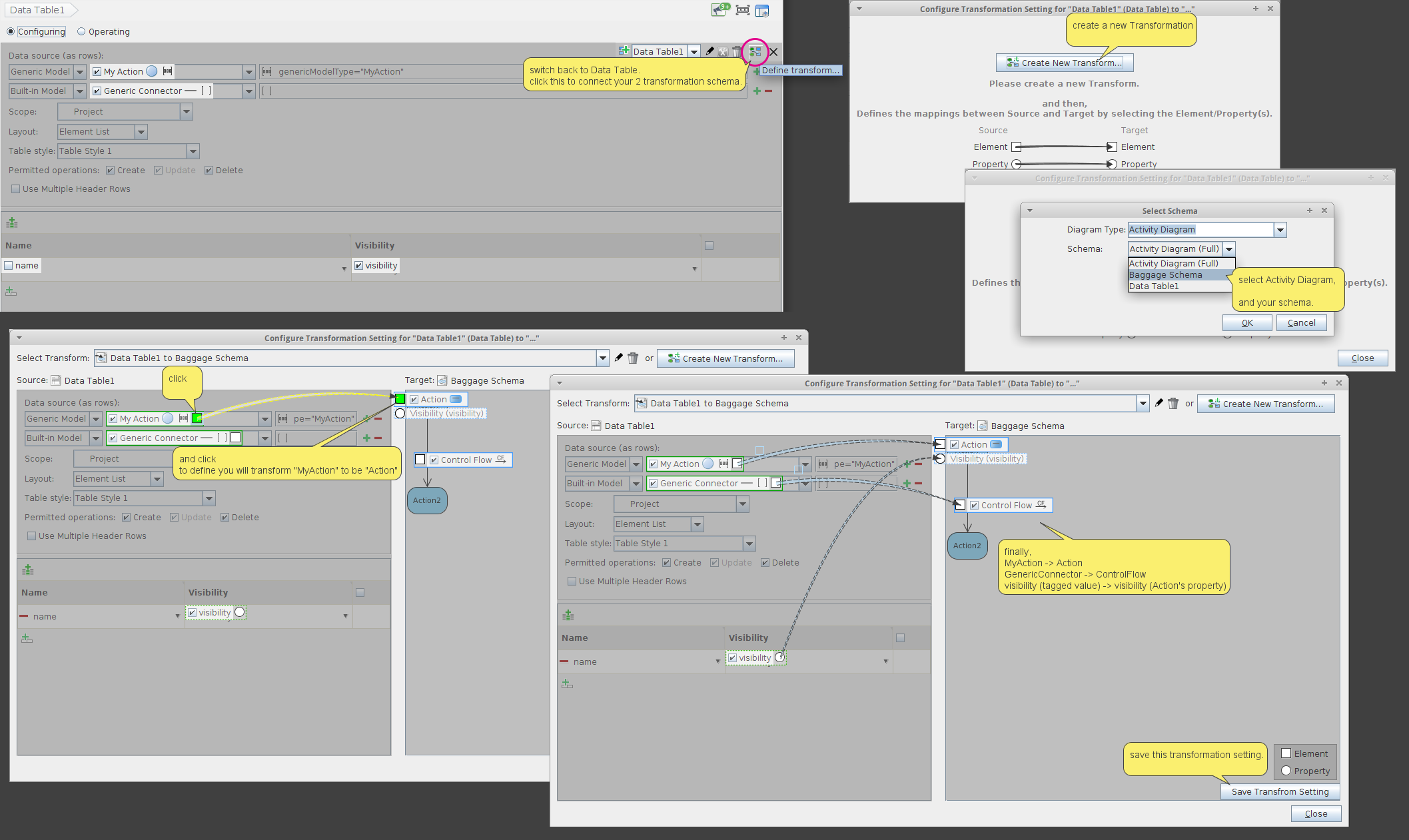
Creates a
DataTableto define your model type, properties.
And define the transformation schema of your model types.
(you can click the top-right X button to close the transform schema editing) -
Creates a dummy
Activity Diagramto define the transformation schema of activity diagram.
(you can click the top-right X button to close the transform schema editing) -
Connects your 2 transformation schema.


— Operation —
-
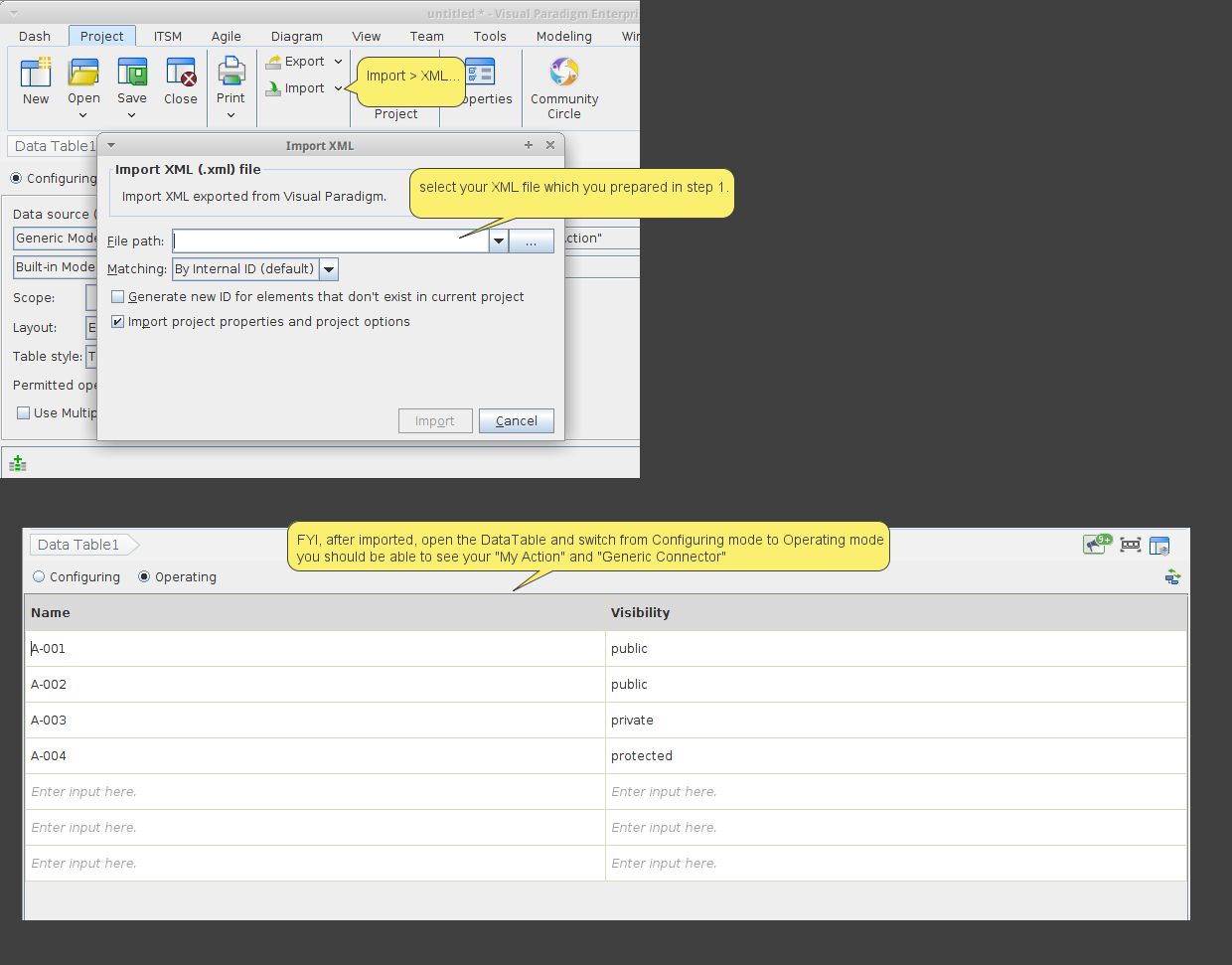
Imports XML to create your meta-model into VP.
-
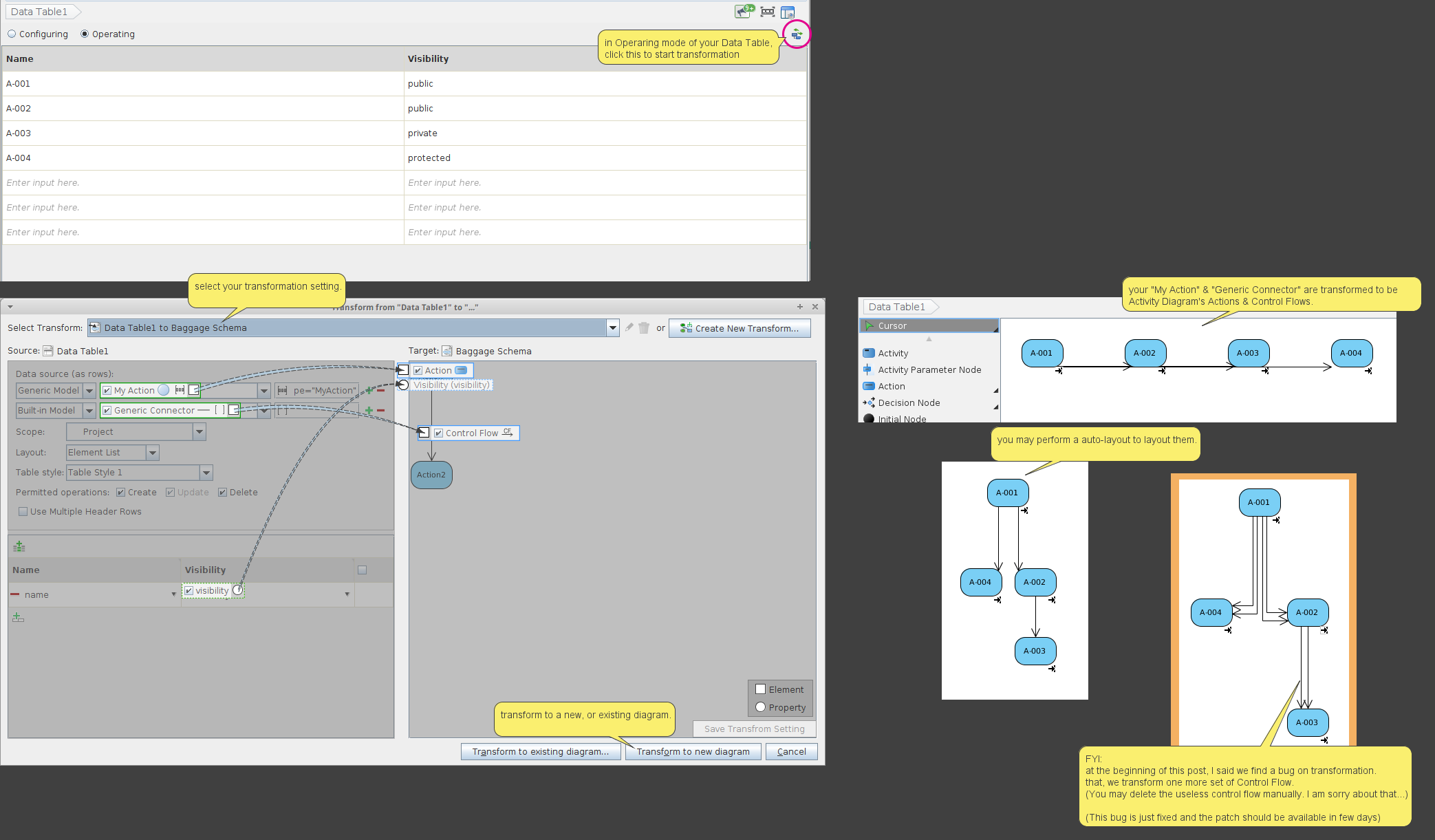
Performs transformation from your
DataTableto anActivityDiagram
PS:
Sorry, the above solution is quite complex.
(In fact, I never try to use DataTable to define a ‘relationship’. At least, on this solution, I haven’t try to define the generic connector is connected between which model types. And I am not sure can it be defined in the Data Table…)
On another hand, there is a simply solution that, you prepare an XML to specify the Action, ControlFlow, etc… directly.
In this solution, you don’t need to learn how to use the transformation schema. But you need to learn more details on the XML content of Activity Diagram & its model elements.
