I’m not 100% sure but I think the developers are using the latest 14.2 version.
It’s been a while since I used version 10, but I think that you should be able to edit stereotypes in the specification window as well. So select the element, then hit enter (or right click and select the ‘Open Specification…’ option) and then find the ‘Stereotypes’ tab.
Since everybody is using pictures to illustrate I suppose I should do the same 
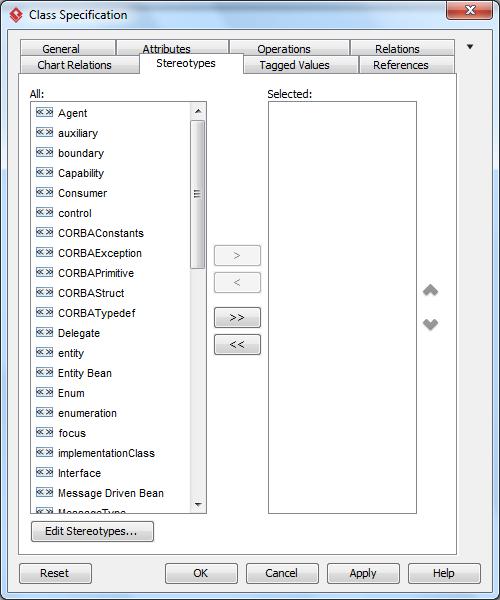
You can select a stereotype from the left column, then click the greater than sign to add it to the right (‘selected’) column. Removing stereotypes is done in the opposite way: select one (or more) from the right column and then clicking the smaller than sign (or put differently: use the arrow icons pointing right and left respectively).
Hope this helps!
